Excel & CSV Email Extractor
Drag & Drop file here or click
📊 Max file size: 20MB per file
Email Count: 0
Managing contact data in Excel or CSV files is very common today. Businesses, marketers, recruiters, and researchers often store thousands of contacts inside spreadsheets. But when you only need email addresses, manually searching and copying them can take a lot of time. This is where an bulk Excel CSV email extractor becomes very helpful.
An Excel CSV email address extractor is a simple online tool that scans your file and automatically collects all email addresses in one clean list. Instead of checking every row, the tool does the work in seconds. It is fast, accurate, and easy to use.
Also Use: PDF Email Extractor
What is Excel CSV Email Extractor?
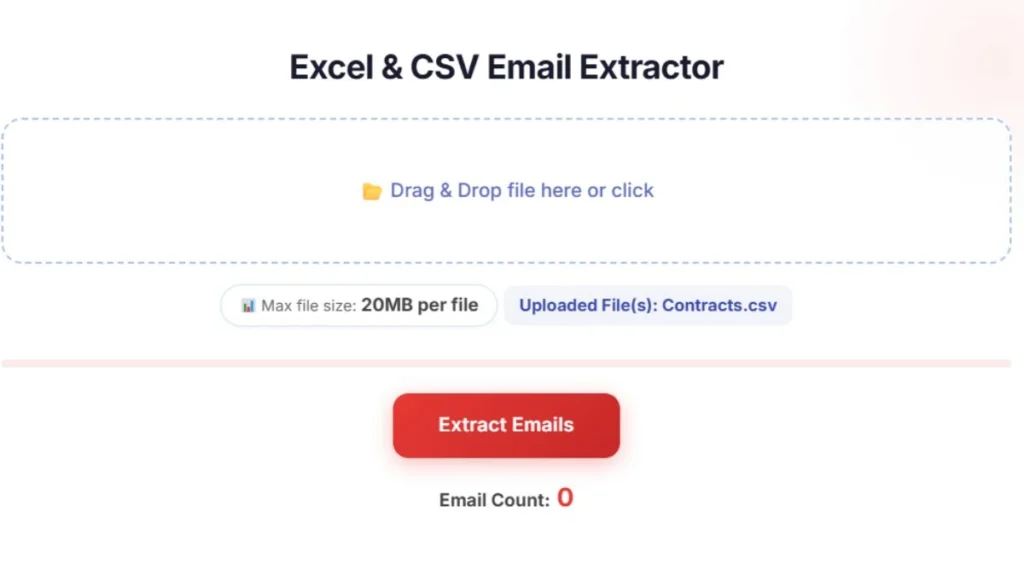
A online Excel CSV email extractor is a tool designed to find and pull email addresses from CSV files. CSV (Comma-Separated Values) files are widely used to store exported data from websites, CRM systems, and marketing platforms.
When you upload your file into the tool, it scans the entire document, including all rows and columns, and detects email formats like name@domain.com. After scanning, it displays all found email addresses in a simple list that you can copy or download.
Why Use an Email Address Extractor from CSV or Excel File?
If you have a large spreadsheet with hundreds or thousands of records, manually filtering emails is not practical. An email extractor from a CSV or Excel file saves you time and reduces mistakes.
Here are the main benefits:
- Extracts emails instantly
- Reduces manual errors
- Works with large files
- Automatically removes duplicates
- Creates a clean, ready-to-use list
Whether you are preparing a marketing campaign or organizing customer contacts, an automated solution is always better than manual copying.
How to Extract Email From Excel or CSV Files?
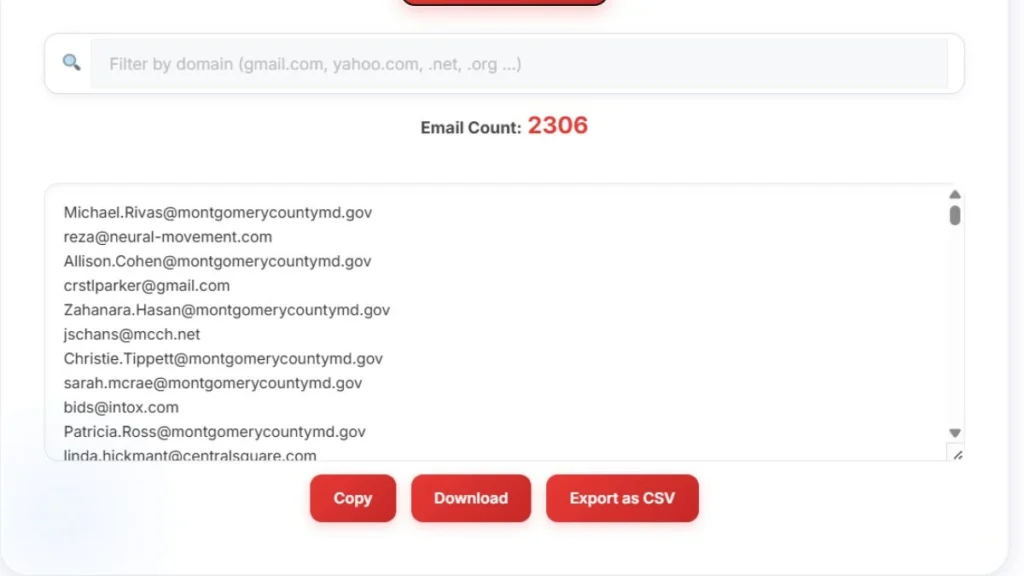
Using an Excel CSV email extractor is very simple:
- Upload your CSV file.
- The system scans the entire file.
- It identifies valid email addresses.
- Duplicate emails are removed automatically.
- You can copy or download the final list.
The whole process usually takes only a few seconds, even for big files.
Convert CSV Email Extractor for Better Data Cleaning
Sometimes CSV files contain mixed data such as names, phone numbers, addresses, and notes. A convert CSV email extractor helps separate email addresses from other information.
Instead of editing the file manually, the tool filters only email addresses and prepares a clean output. This makes it easier to use the data for email marketing, outreach, or internal communication.
Clean data always improves efficiency and reduces confusion.
Easy Upload and Instant Results
Most modern tools provide a simple upload option. With an email extractor upload CSV feature, you just drag and drop your file into the system. There is no need for complicated settings or technical knowledge.
After uploading, the tool starts scanning automatically and shows results in real time. You can then export the emails in a separate file for future use.
Free Email Extractor Excel, CSV for Everyday Use
Many users prefer a free email extractor excel and CSV tool because it allows quick processing without any cost. For small businesses, students, and freelancers, this is a practical solution.
A free tool can handle normal CSV files efficiently and deliver accurate results. If you only need email extraction occasionally, a free version is more than enough.
There are also options like free email extractor CSV or excel file online tools that focus on simple and clean output without unnecessary features. These tools are designed for speed and ease of use.
Online Access Without Installation
One major advantage of modern tools is that they work directly in the browser. A free email extractor upload CSV option means you do not have to download or install software.
This offers several benefits:
- Works on any device
- No setup required
- Safe and secure processing
- Quick access anytime
Online tools are especially helpful for users who want fast results without technical complications.
Who Should Use This Tool?
An Excel email extractor is useful for:
- Digital marketers building contact lists
- Sales teams managing customer data
- Recruiters collecting candidate emails
- Business owners organizing leads
- Researchers analyzing survey responses
If your work involves spreadsheets with email data, this tool can significantly improve productivity.
Final Thoughts
An Excel CSV email extractor is a smart solution for extracting email addresses from large data files. Instead of wasting time manually searching through rows and columns, you can automate the entire process.
Tools like CSV email extractor, email extractor from excel, and convert CSV email extractor options make data handling simple and efficient. Features such as email extractor, CSV upload, and free email extractor CSV access ensure that anyone can use the tool easily.
If you want a fast, accurate, and user-friendly way to collect email addresses from spreadsheets, choosing a reliable extraction tool is the best decision. It saves time, reduces effort, and helps you focus on more important tasks.
Frequently Asked Questions
1. What is an Excel or CSV email extractor?
It is a tool that scans spreadsheet files (.xls, .xlsx, .csv) and extracts all email addresses from the data.
2. Does it work with large spreadsheets?
Yes, but performance depends on file size and your device. Very large files may take longer to process.
3. Can it extract emails from multiple columns?
Yes. The tool scans the entire sheet, so emails can be detected anywhere in the file.
4. Will it remove duplicate email addresses?
Most tools offer a deduplication feature to provide a clean list without repeated emails.
5. Is my spreadsheet data safe?
Yes, If processing happens locally in your browser, your file is not uploaded to any server.
6. What formats are supported?
Common formats include CSV, XLS, and XLSX files created by Excel, Google Sheets, or similar software.
7. Who can benefit from this tool?
Sales teams, marketers, data analysts, and businesses can use it to quickly build email lists from datasets.